Web Browser:
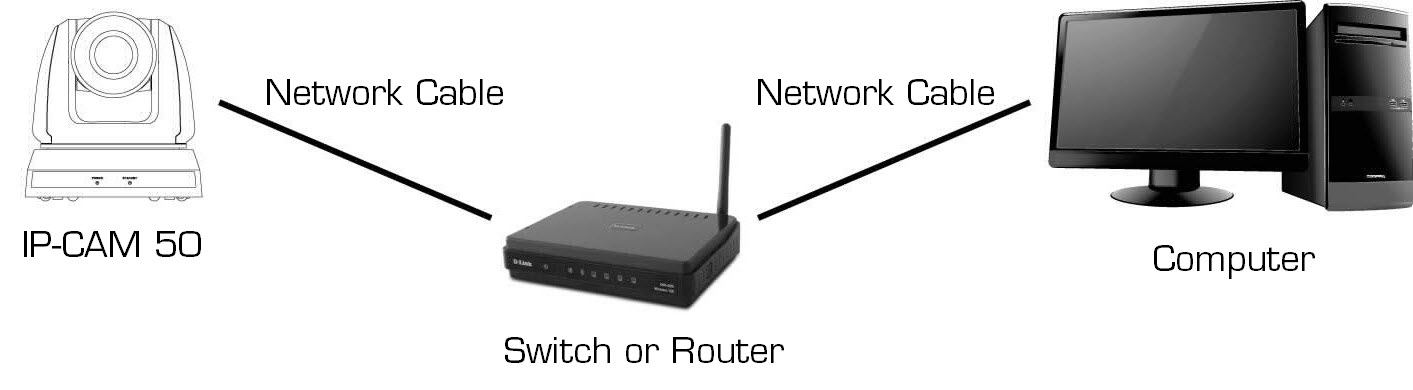
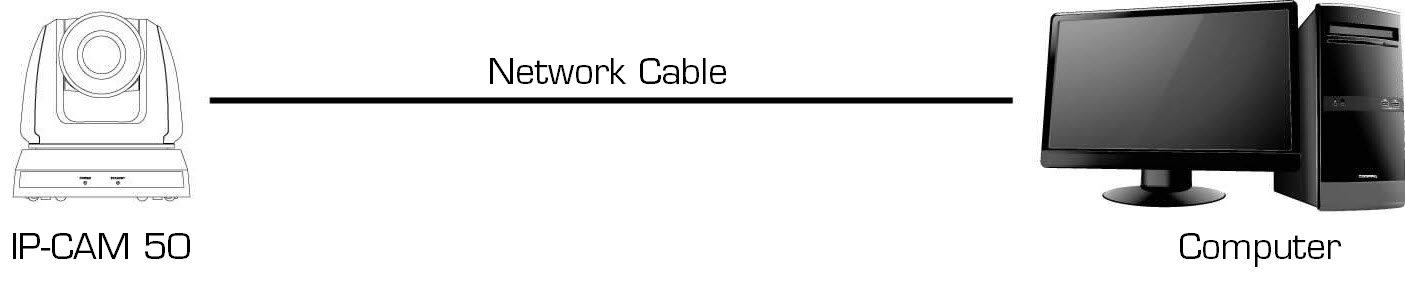
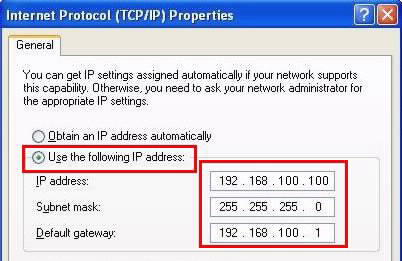
Two common connection methods are shown below
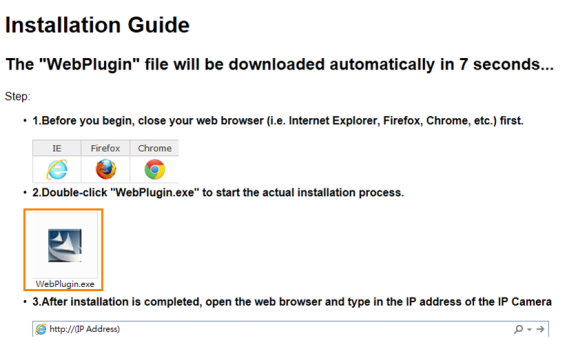
2. Please login the computer as Administrator to install it
3. After completing installation, please refresh the page.
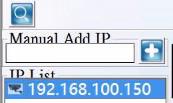
 to find out available IP-CAM 50, or add a known IP-CAM 50 IP address
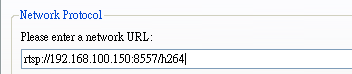
In addition to browser and VMS, other RTSP methods can be used for connection, such as VLC and Quick Time
RTSP connection address:
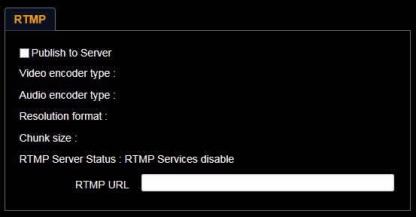
Support RTMP connection. If RTMP server is set up, RTMP connection function can also be opened
Please log into IP-CAM 50 webpage to change RTMP of network setting as described in "Use the web browser" on page 1.
|
|
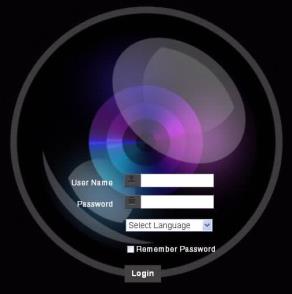
Username: Enter user account |
|
Password: Enter user password |
|
|
Select Language: Select language from English, Traditional Chinese and Simplified Chinese |
|
|
Remember password: Remember the password so that you do not need to type it next time |
|
|
Login: Log into the administrator screen on the website |
|
|
|
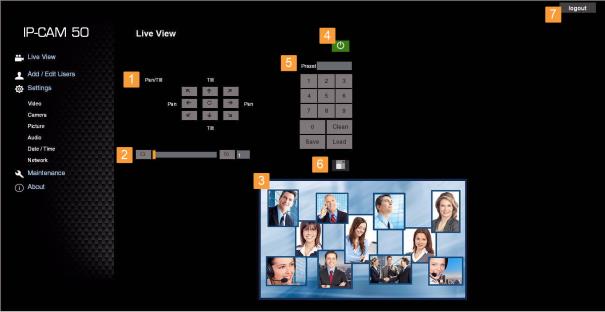
1. Rotate camera angle |
|
2. Zoom in/out |
|
3. Preview window |
|
4. Power off IP-CAM 50 |
|
5. Apply/Set preset |
|
6. Switch to Full Screen |
|
7. Logout |
|
|
|
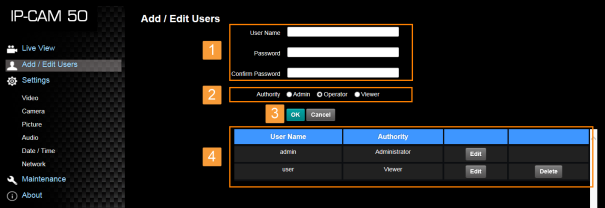
1. Enter new username and password |
|
2. Set the permissions: Description for permissions is listed in the following table |
|
3. Apply |
|
4. List of accounts: |
|
|
|
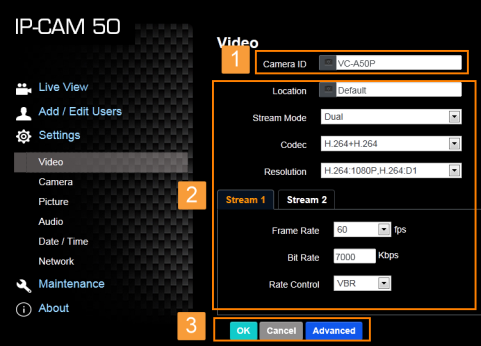
1. Camera name: Change camera name on this page |
|
2. Select rate and encoding |
|
3. Storage setting; for advanced settings, see "Settings –Advanced Video Setting" on page 1 |
|
|
|
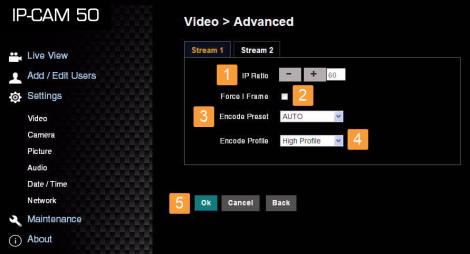
1. IP Ratio: Set IP Ratio, from 1 to 60 |
|
2. Force I Frame : Check this item to insert IDR frame into specified series flow and apply its setting. User’s setting will be reserved and displayed in GUI interface |
|
3. Encode Preset : Auto:Select between speed and quality depending on the encoding method used (e.g. HIGH_SPEED mode for refresh rate of 60 frames per second and HIGH_QUALITY mode for high image quality) HIGH_SPEED: Refresh rate of 60 frames per second is available HIGH_QUALITY: Higher image quality can be obtained. SVC:SVC opened encoding mode is applicable to RTSP series flow of 8601, 8602, 8603 and 8604 ports, different refresh rate for different ports. See remark |
|
4. Encode Profile: Encoded Information |
|
5. Preset Save |
1. 60Frame:rtsp://VC IP Address:8557/h264, E.g.: rtsp://192.168.100.150:8557/h264
2. 30Frame:rtsp://VC IP Address:8601/h264, E.g.: rtsp://192.168.100.150:8601/h264
3. 15Frame:rtsp://VC IP Address:8602/h264, E.g.: rtsp://192.168.100.150:8602/h264
4. 7Frame:rtsp://VC IP Address:8603/h264, E.g.: rtsp://192.168.100.150:8603/h264
5. 3Frame:rtsp://VC IP Address:8604/h264, E.g.: rtsp://192.168.100.150:8604/h264
|
|
|
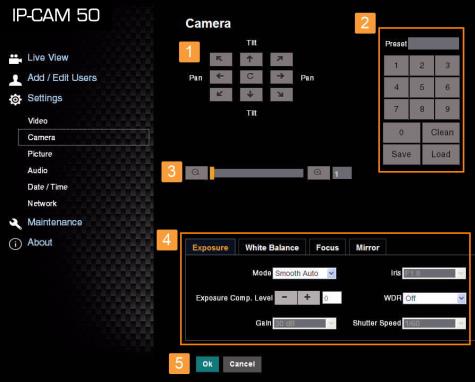
1. Rotate camera lens angle |
|
2. Save/Read preset |
|
3. Adjust image size |
|
4. Adjust camera settings. Please refer to "Settings –Advanced Camera Setting" on page 1 |
|
5. Preset Save |
|
|
|
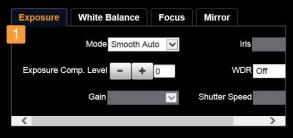
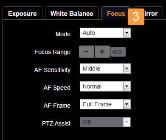
1.. Exposure:
|
|
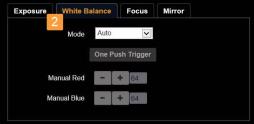
2. White Balance:
|
|
3. Focus:
|
|
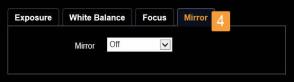
4. Mirror:
|
|
|
|
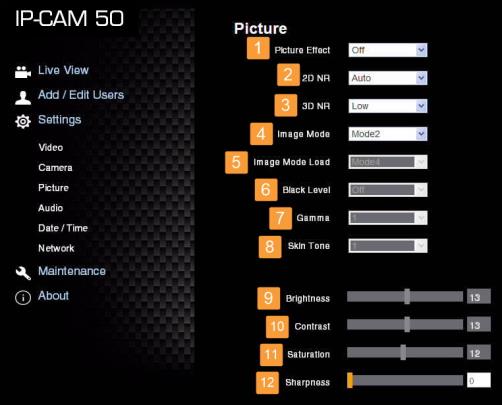
1. Picture Effect: Set the picture effect |
|
2. 2D NR: 2D noise reduction settings |
|
3. 3D NR: 3D dynamic noise reduction settings |
|
4. Image Mode: The user may customize his/her desired image mode |
|
5. Image Mode Load: Adjustable when Image Mode is set to Custom, similar to OSD |
|
6. Black Level: Adjustable when Image Mode is set to Custom, similar to OSD |
|
7. Gamma: Adjustable when Image Mode is set to Custom, similar to OSD |
|
8. Skin Tone: Skin tone settings; adjustable when Image Mode is set to Custom, similar to OSD |
|
9. Brightness: Adjustable when Image Mode is set to Custom, similar to OSD |
|
10. Contrast: Adjustable when Image Mode is set to Custom, similar to OSD |
|
11. Saturation: Adjustable when Image Mode is set to Custom, similar to OSD |
|
12. Sharpness: Adjust the sharpness of the image |
|
|
|
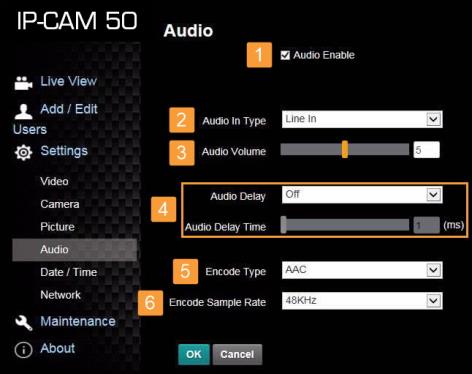
1. Turn on/off sound |
|
2. Set MIC In/Line In |
|
3. Adjust the Volume |
|
4. Set audio delay |
|
5. Set Encode Type (ACC / G.711) |
|
6. Set Encode Sample rate |
|
7. Preset Save |
|
|
|
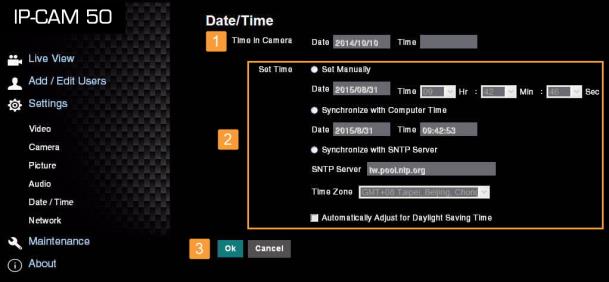
1. Current camera date and time |
|
2. Set the Time: Manual setting/synchronous computer time/synchronous SNTP server time/time of automatic adjustment of daylight saving |
|
3. Preset Save |
|
|
|
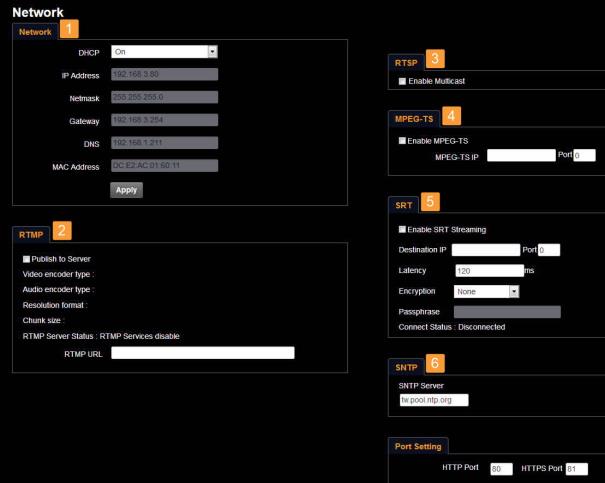
1. Network address of camera: Change of setting is available only when DHCP function of camera is turned off; please turn off DHCP function using IP-CAM 50 screen menu, and for setting of each item of screen menu, see "Setting Menu" on page 1 |
|
2. Set RTMP: Set connection address of RTMP depending on RTMP Server setting |
|
3.Set RTSP: Enable/Disable Multicast It is suggested to enable Multicast when the number of users online watching the live image simultaneously is more than 4.
|
|
4. Set MPEG-TS: Set MPEG-TS format |
|
5. Set SRT: Set SRT streaming |
|
6. Set SNTP: Set SNTP Server IP |
|
7. Set HTTP port. The default Port value is 80 Change of setting is available only when DHCP function of camera is closed
|
|
|
|
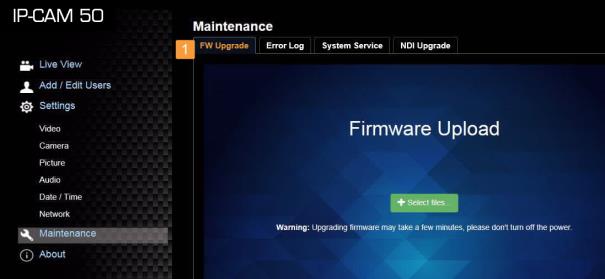
1. Firmware Upload |
|
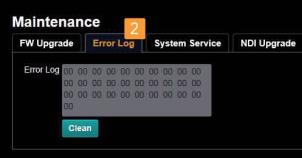
2. Error Log |
|
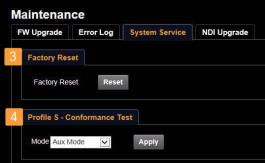
3. Factory Reset |
|
4. Set ONVIF command as “standard” or “custom” |
|
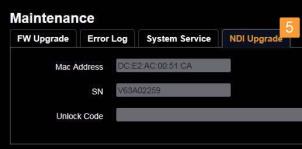
5. NDI registration information |